The backend for AI-built apps
Build without leaking.
Evolve without breaking.
Multi-tenant SaaS, at AI speed.
Connect Claude Code, Cursor, or Codex. Tell it what you're building. It defines the data model; Aaly runs the production API with sign-up, auth, validation and per-customer isolation already applied.
Free tier: 100,000 requests a month, 2 projects. No card, nothing to install.
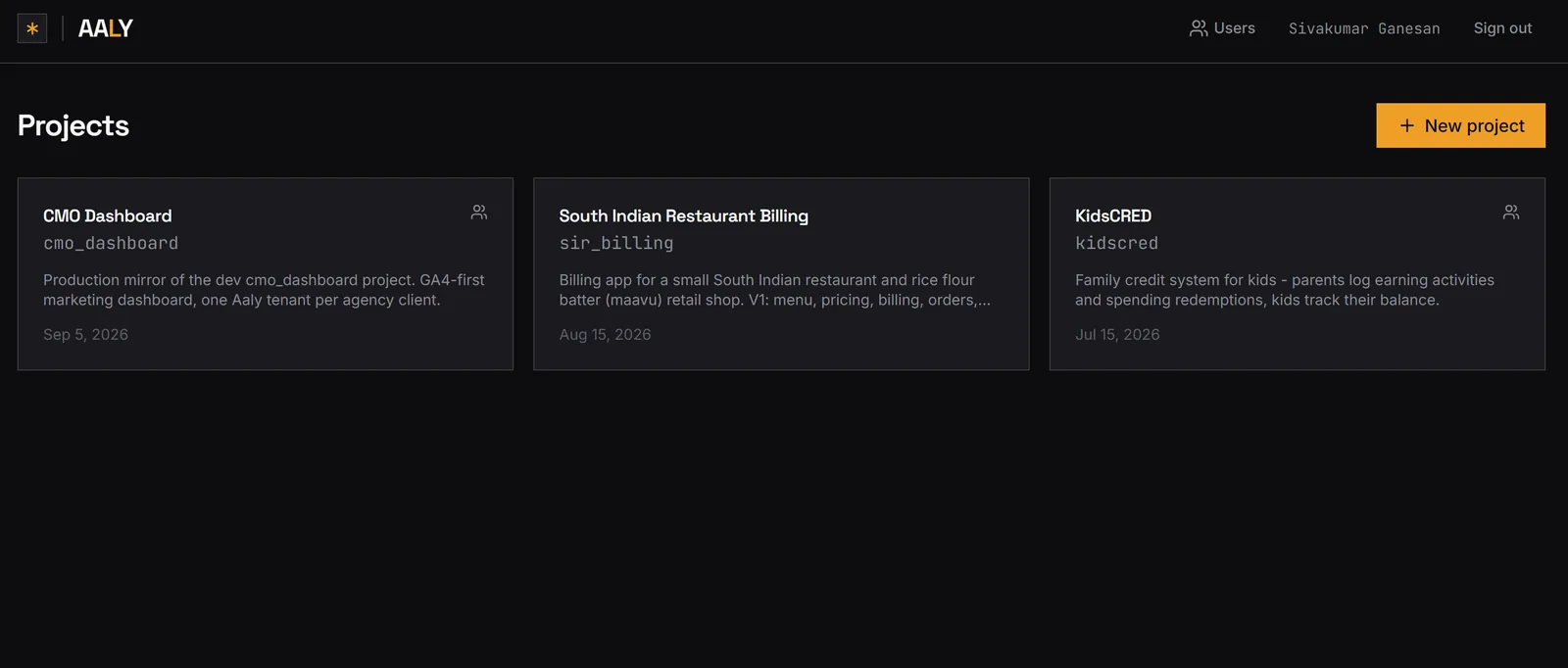
Aaly's own dashboard is an Aaly project. See it at app.aaly.io →
What you get
A real backend, on the first day.
Not a starter template you inherit and then maintain. These are properties of the platform answering your requests, which is why they stay true after the fifth change as well as the first.
Authentication
Accounts, Google sign-in, one-hour access tokens and rotating refresh tokens. Sign-up and sign-in exist in a project the moment it does.
Tenant isolation
Records are scoped to their customer by the platform, on every endpoint, with no opt-in and no policy to author. A cross-tenant read returns 403.
Relationships
Typed references between entities, single or multiple, with target fields projected inline on read and nested writes up to three levels deep.
File storage
Presigned uploads and short-lived download URLs, with files attachable from your own entities. No bucket to wire up.
Functions
Your own Python on an entity's request lifecycle, on any method including GET, before or after, sync or async. Webhooks and third-party integrations are functions.
Live OpenAPI spec
A current, accurate spec generated from the definition. Your agent reads your API instead of guessing at it.
Everything else in the platform →
Your customers cannot read each other.
Every project is multi-tenant the moment it exists. Scoping is applied by the platform on every endpoint, so there is no filter to remember and no isolation policy for an agent to write incorrectly. Here is the same request under two customers' tokens.
Tenant A's tokenGET /orders 200 A's ordersGET /orders/ORD-9f21 200 belongs to ATenant B's tokenGET /orders 200 B's ordersGET /orders/ORD-9f21 403 not your record
How it works
Three steps, then you're building.
There is no project to scaffold, no migration to write and no deploy step. The same three steps whether you drive it yourself or hand it to an agent.
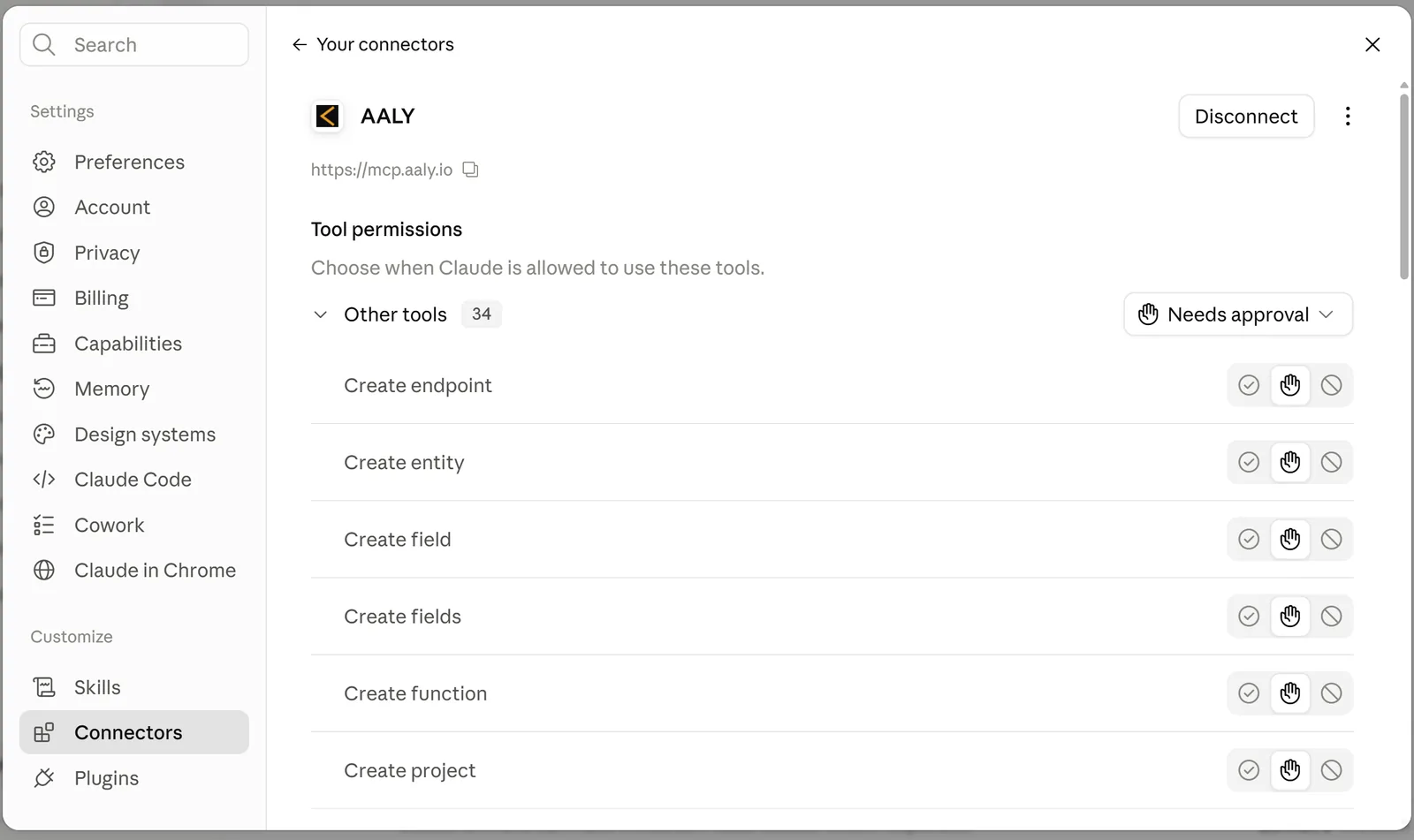
Connect your agent
Paste one URL into Claude, Cursor or Codex as a custom MCP connector and approve it in the browser. Your agent registers itself over OAuth 2.1 with PKCE and holds a scoped, revocable token. There is no API key to generate, paste, or keep out of a commit.
https://mcp.aaly.io
Claude Code · Cursor · Codex · Antigravity
works alongside Lovable · Replit · Bolt
Say what you're building
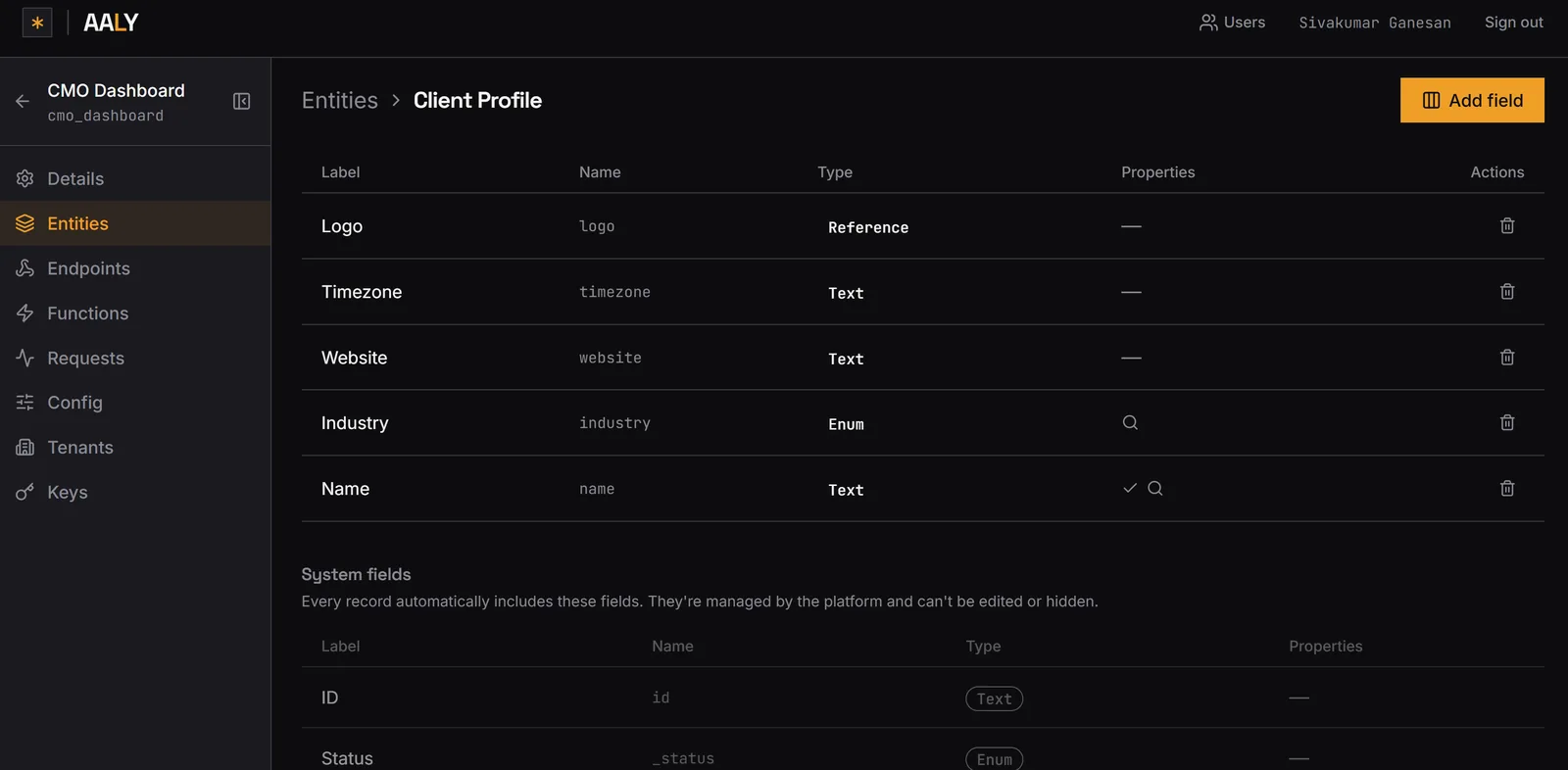
Your agent creates the entities, fields and relationships through Aaly. Types, required fields, enums and uniqueness are part of the definition, so validation is not something anyone writes twice. You can do all of it by hand in the dashboard instead.
Every record gets the system fields underneath for free.
Call the API
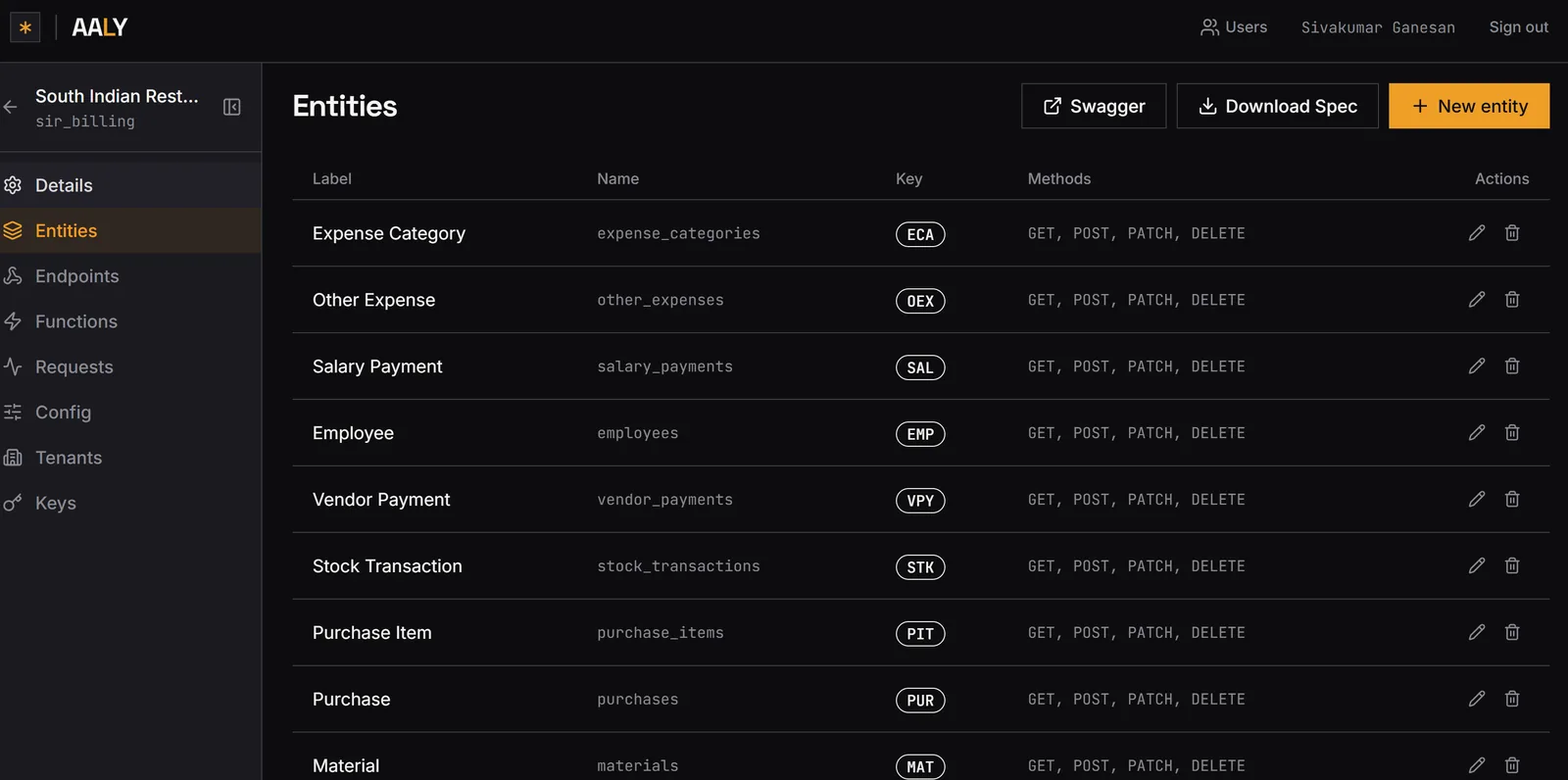
REST endpoints are live the moment an entity exists. No build, nothing to promote. Auth, validation and per-customer scoping are applied on every one of them, and the OpenAPI spec is generated from the same definition, so your agent reads your API instead of guessing at it.
Change the model later and the contract updates with it. There is no generated backend in your repository to fall out of sync.
Pricing
Free to start. $20 when you outgrow it.
Billed on what the backend serves: requests, projects and tenants. Not on how many people or agents you have. A team running six agents is not six users.
Solo
$0
100,000 req/mo
2 proj · 4 tenants
Micro
$20
500,000 req/mo
4 proj · 10 tenants
Small
$100
1,500,000 req/mo
10 proj · 20 tenants
Medium
$500
8,000,000 req/mo
25 proj · 50 tenants
Enterprise
Talk to sales
custom volumes
Traffic can't balloon your bill
Every band's request ceiling is fixed. Past it, calls return 429 until your next cycle, never a bigger invoice.
No per-seat billing
Invite the whole team and every agent you run. You're billed for what the backend serves.
FAQ
The five people ask first.
What is Aaly?
Aaly is a backend platform where you define a data model (entities, fields, relationships and rules) and Aaly serves a production REST API from that definition. No backend code is generated into a repository for you to own, review, or maintain. Human developers and AI coding agents both operate the same backend: agents through an MCP server, people through the dashboard and the REST API.
Do I still write backend code?
No backend code is written or generated for the data layer. Your agent writes a definition; Aaly serves CRUD endpoints, authentication, validation, relationship traversal, and tenant scoping from it, and publishes a live OpenAPI spec. Where you do want server-side logic, you write it deliberately rather than inheriting it: Aaly Functions run your own Python on an entity's request lifecycle, and custom endpoints let you add non-CRUD routes that keep the platform's auth and tenant scoping. Webhooks and third-party integrations are functions too. You also still write your frontend, which calls the Aaly REST API like any other HTTP service.
Is multi-tenancy included?
Every Aaly project is multi-tenant from the moment it is created. Records are scoped to their tenant by the platform on every endpoint, so a request carrying one tenant's token cannot read another tenant's record. A cross-tenant read returns 403 rather than depending on a filter someone remembered to put in a query. Sign-up, tenant creation, per-tenant data, and per-tenant access are available before you design your first screen.
Is Aaly like Supabase?
No. Supabase gives you a hosted Postgres database and generates an API over the tables you create, so you still own and maintain schema migrations, row-level security policies, and any edge functions you write. Aaly takes a definition and serves the API from it, with authentication, validation, relationships, and per-tenant isolation applied by the platform rather than by policies you author. The practical difference shows up on the fifth change rather than the first. With Aaly there is no migration to write and no security policy that can be forgotten on a new route. A full comparison, including where Supabase is the better choice, is at aaly.io/vs/supabase.
Do I need to buy AI credits from Aaly?
No. Aaly is not an AI app-generation platform and doesn't sell AI credits. You bring your own coding agent (Claude Code, Cursor, Codex, or any other MCP-compatible agent) and Aaly provides the production backend it builds and evolves against. Your coding agent may have its own usage limits or subscription cost; that's separate from and unaffected by Aaly's pricing, which is metered on backend requests, not on AI usage.
Start building
Your first SaaS backend is a sign-up away.
Create an account with Google, add https://mcp.aaly.io to your agent, and tell it what you're building. Free to start, no card, nothing to install.
Building something unusual, or need volumes before you commit? Email support@aaly.io.